Write
Create and organise chord progressions in a structured musical layout.
Collaborative chord notepad
Your chords, your musical ideas, your collaborators — all in one place. Kordverse makes it easier to write, organise, transpose and share chord progressions.
Android appWorks in your browseriPhone app coming soon
From writing your first chord progression to collaborating with an entire music team, Kordverse gives you a dedicated workspace for your musical ideas.
Create and organise chord progressions in a structured musical layout.
Work together with other musicians and manage access to your projects.
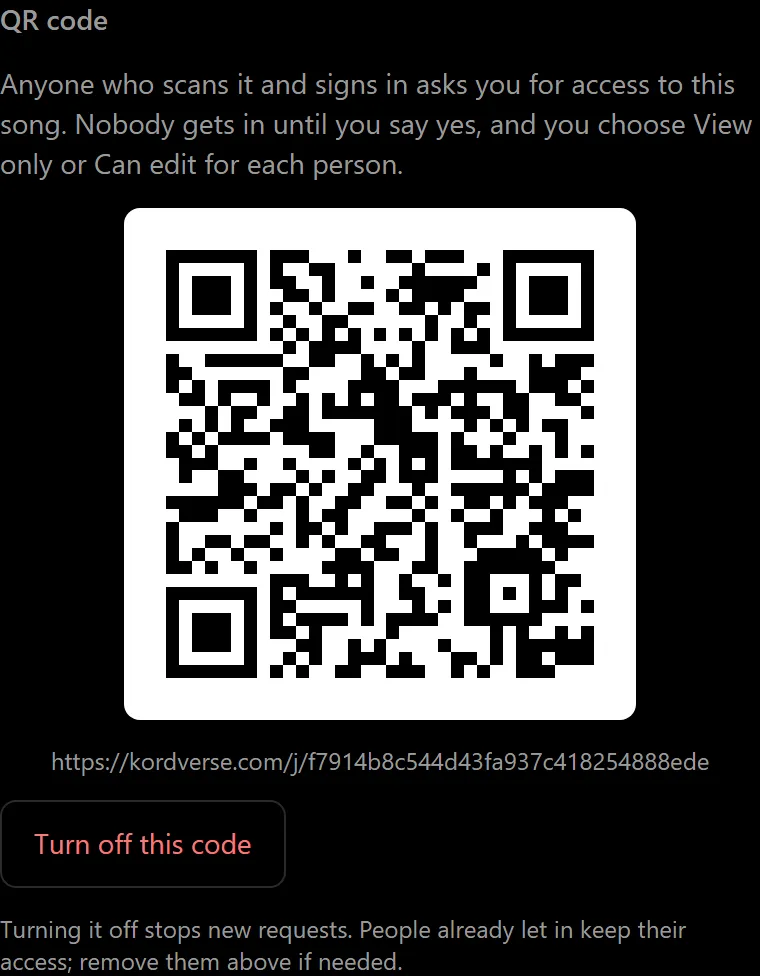
Share your chord sheets easily using QR codes.
Features
How it works
Start a chord sheet and enter your chord progression, one bar at a time.
Choose the musical key, adjust the notation and transpose your progression.
Share your work with other musicians using QR codes and collaboration permissions.
About Kordverse
Chord charts tend to live in group chats, photos of handwritten sheets and documents nobody can find on the day. Kordverse keeps each song in one place, with the owner in charge of the original and every musician able to see exactly what they’re playing.
Songs are kept on your phone, so you can write without a connection; they sync to your account when you’re back online. And every chord is written by a musician: Kordverse has no AI features.
One original per song, and named versions for each musician or purpose.
Every person with access has a signed-in account, and you decide who that is.
View only or Can edit, per person, for the original and for each version.
Put a code on the music stand; people scan it and ask to join.
A shared metronome that starts on every musician’s phone together, so everyone can play the chords assigned to them in time. It’s being built now; the personal metronome is ready today.
The app
These are real screens from the Kordverse app, not illustrations.
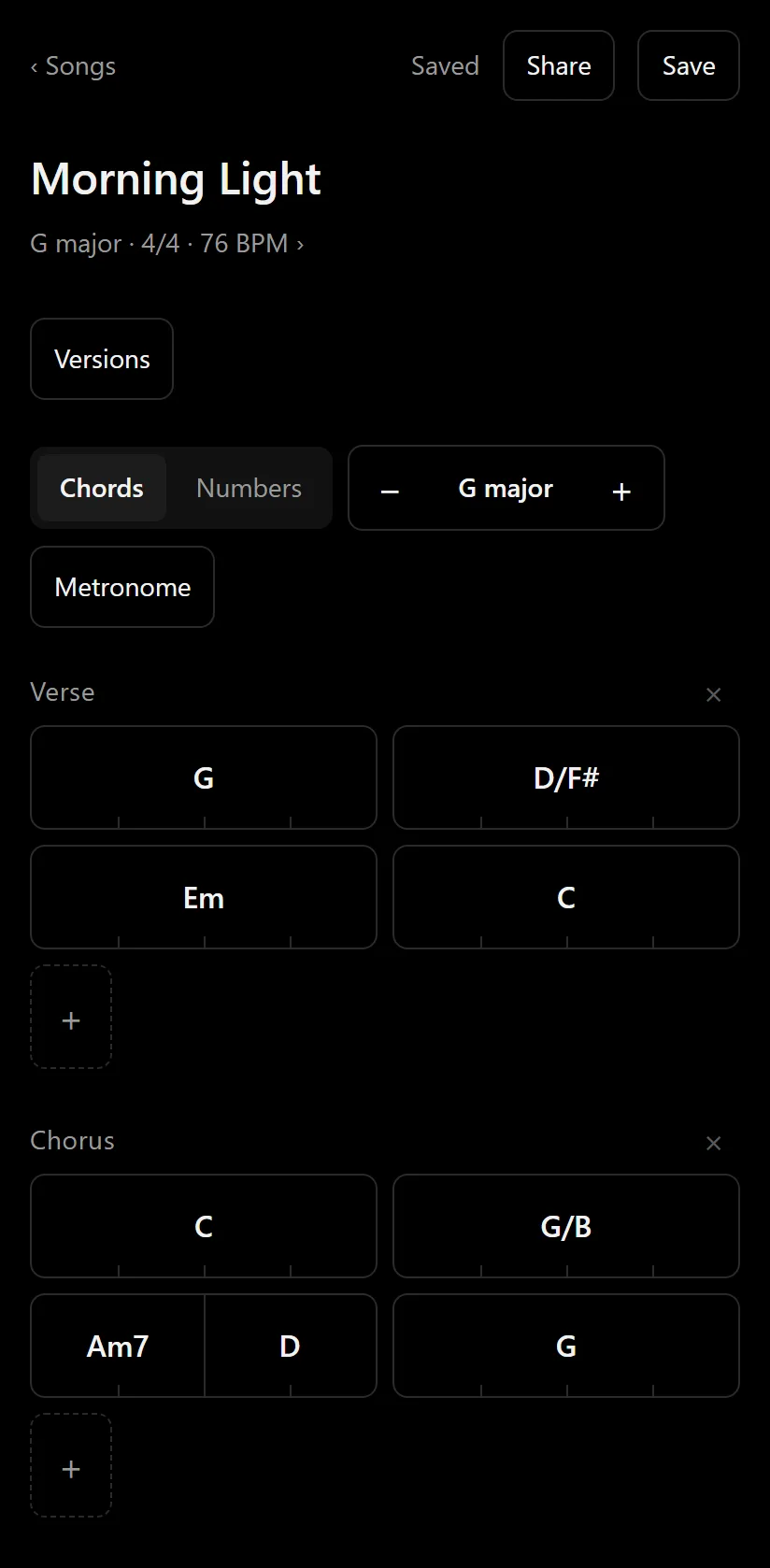
Each line is a row of bars. Type chords, or tap the ones in your key. A bar with two chords splits by their beats: Am7 D is two beats each.
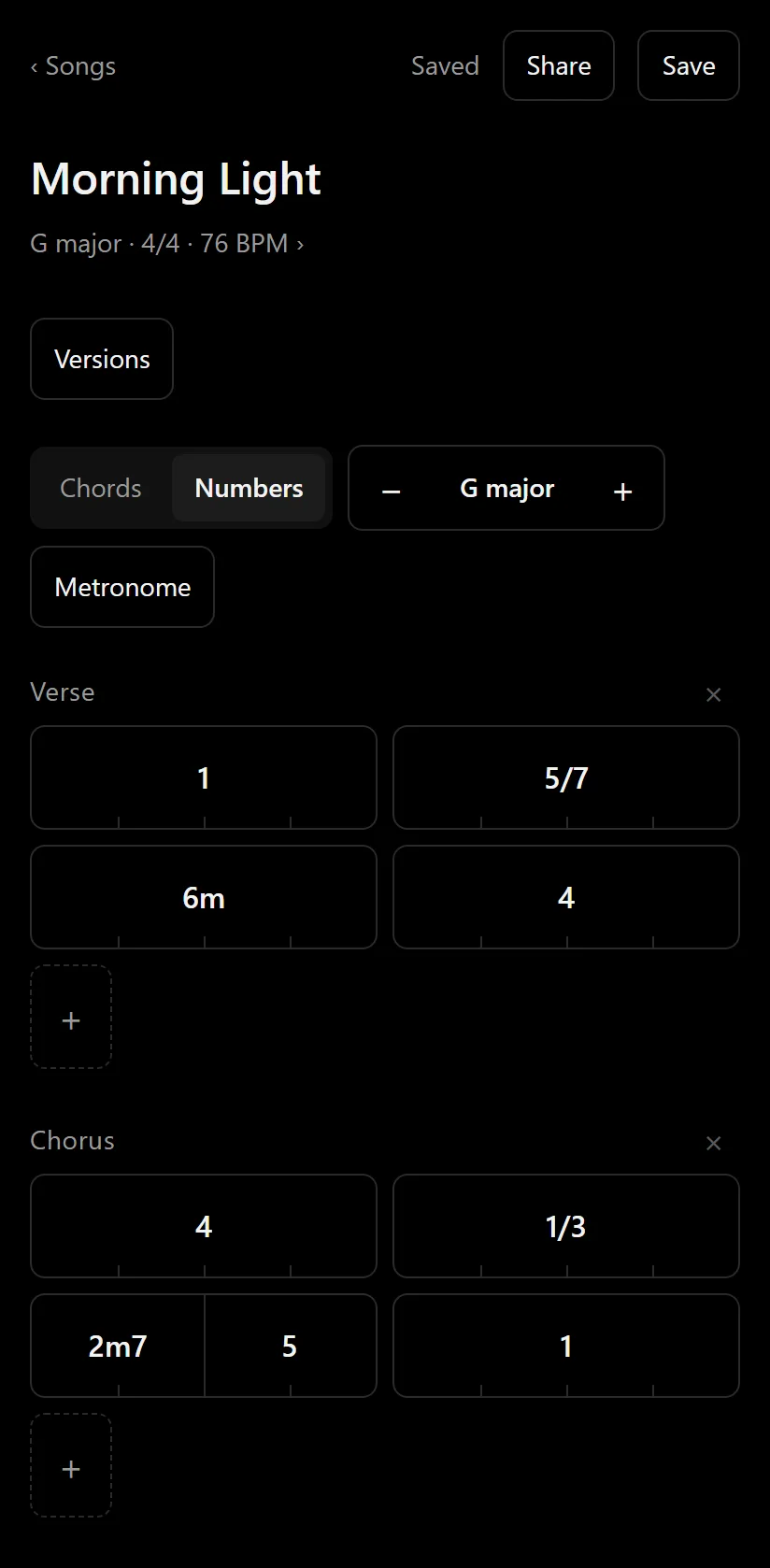
The same song, as chords and as Nashville numbers. One switch changes the view; the song itself never changes.
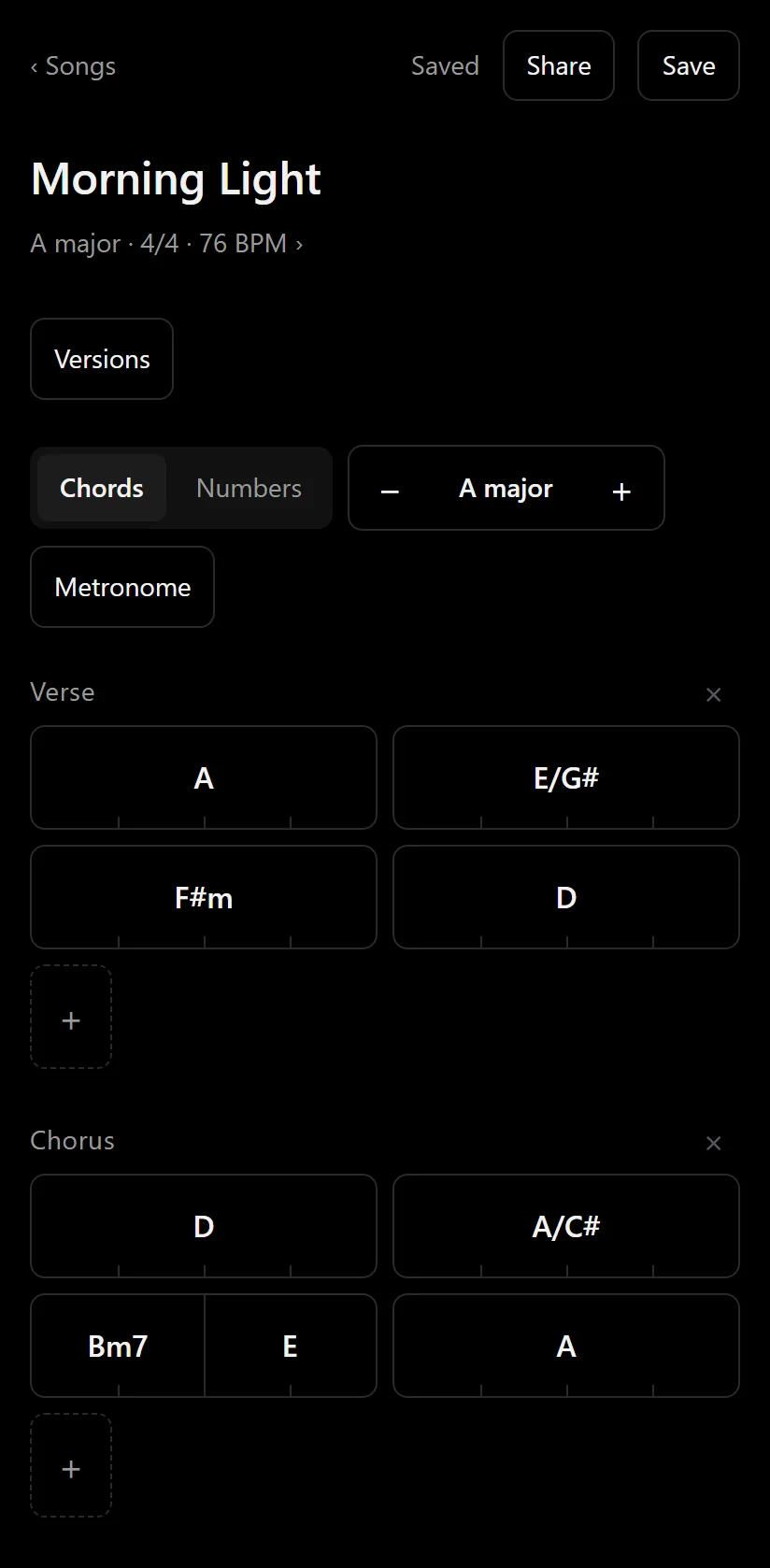
Two taps on + move the song from G major to A major. Every chord follows, including the bass note of slash chords.
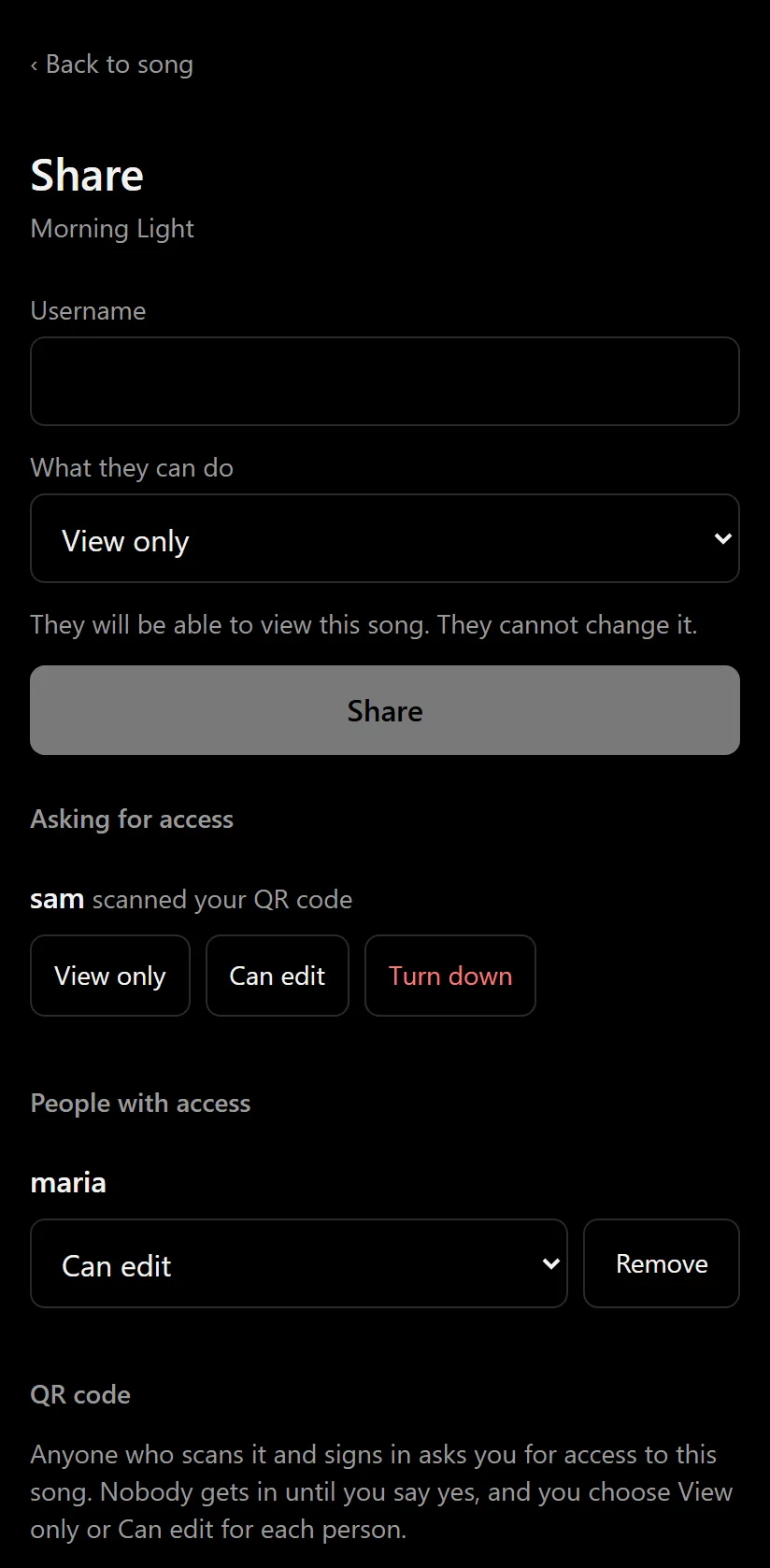
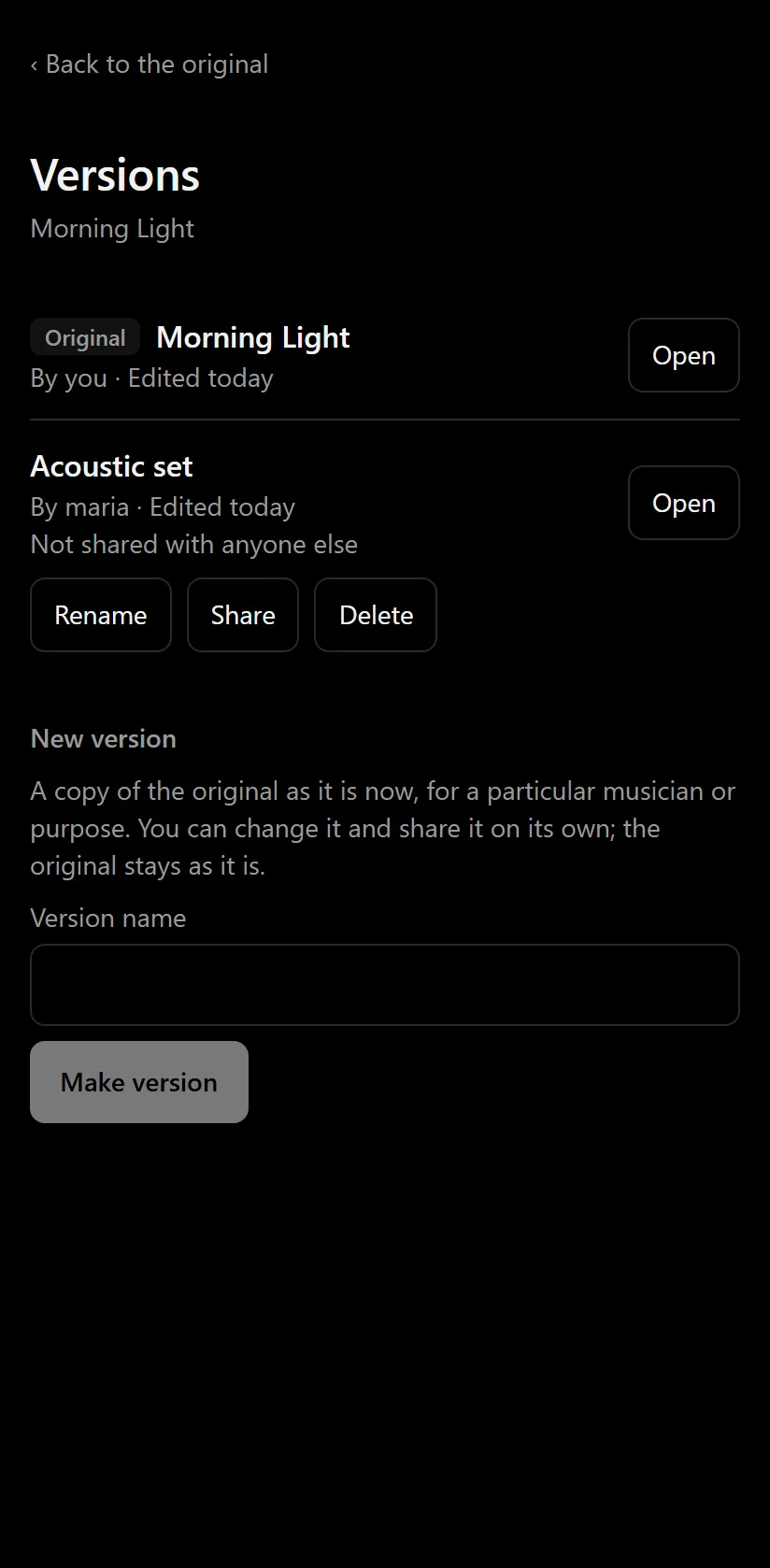
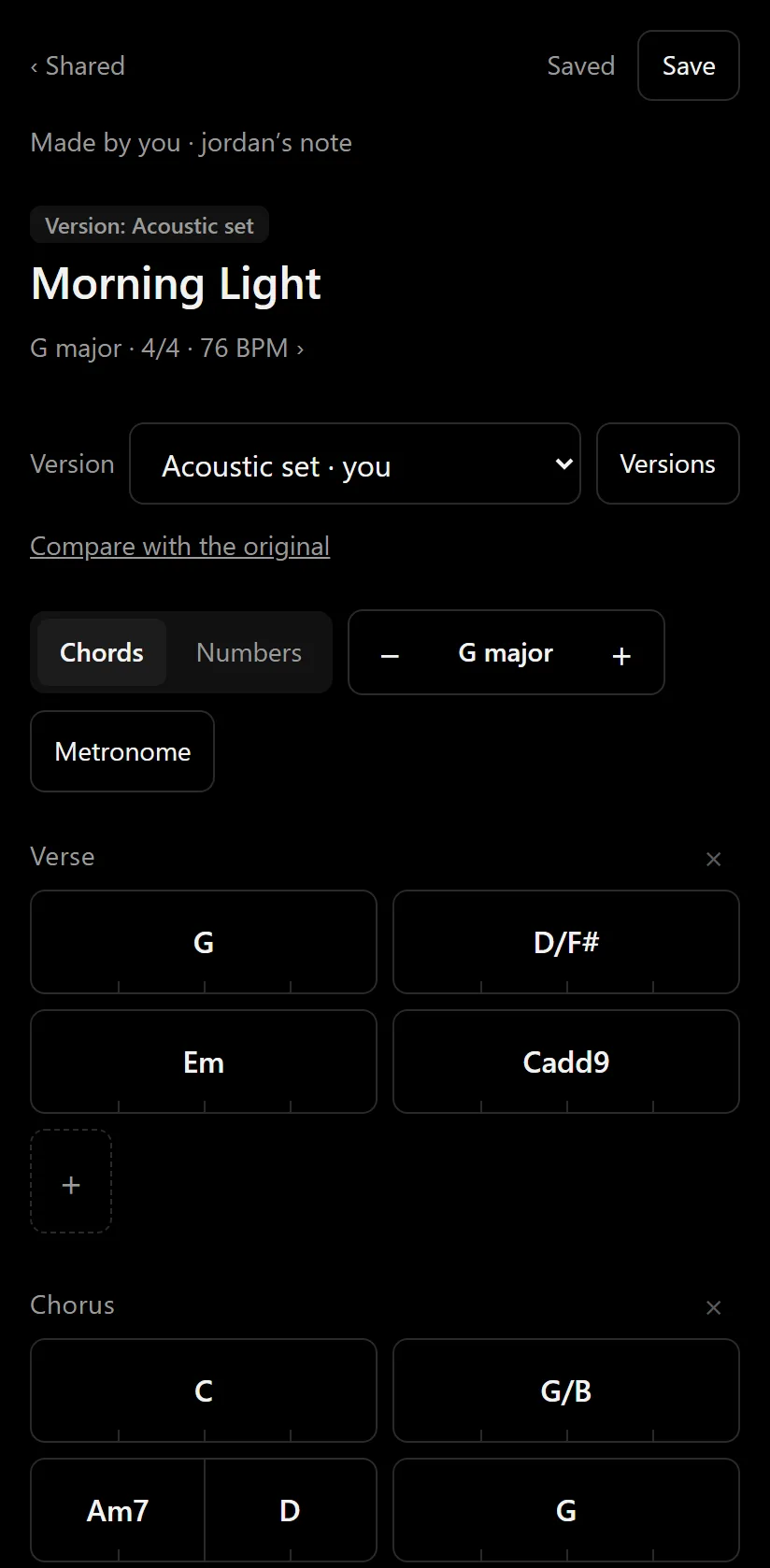
The owner sees who asked to join and who has access, and every version made from the original. A collaborator’s changes stay in their own version, which they can compare with the original.
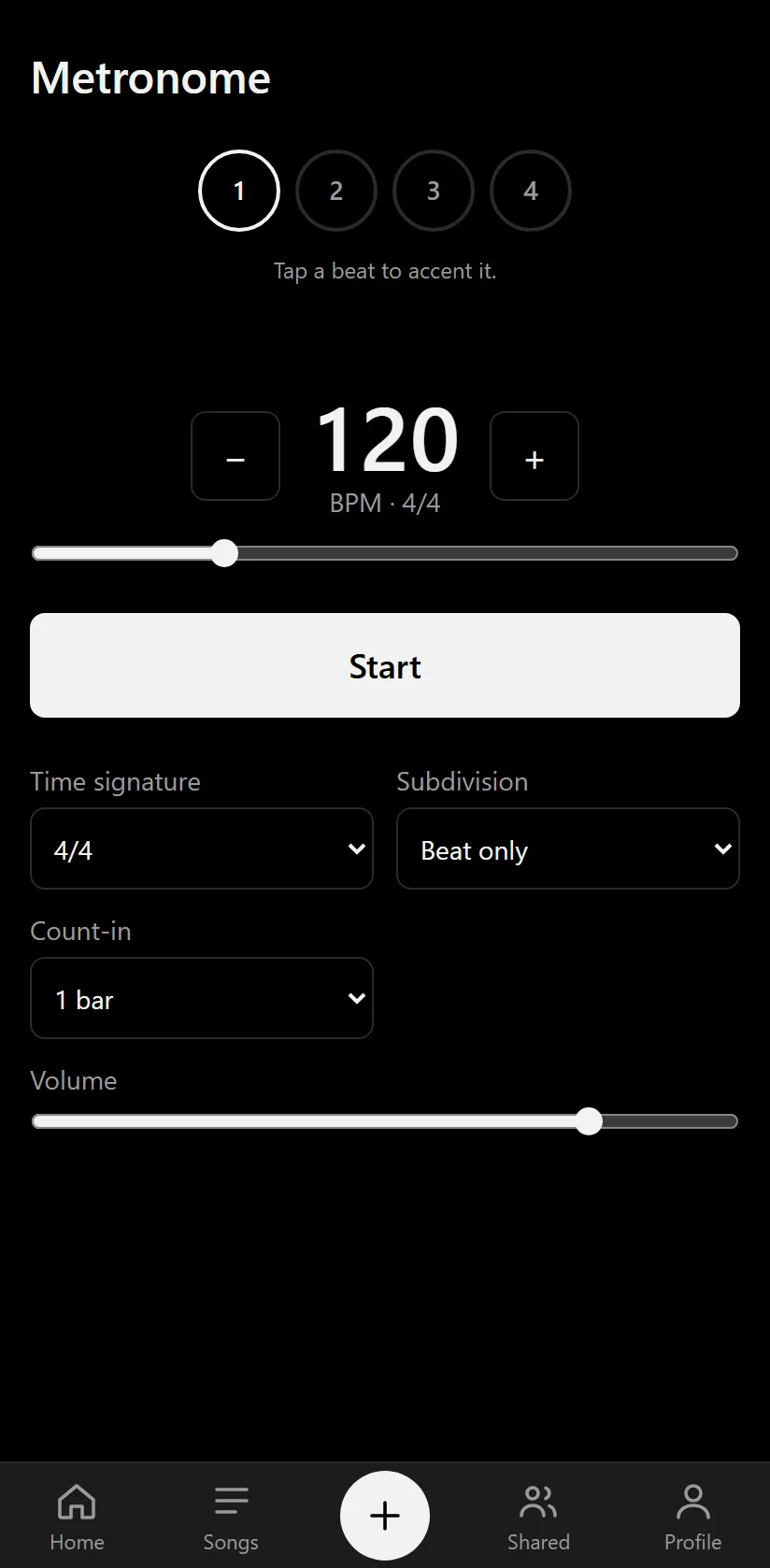
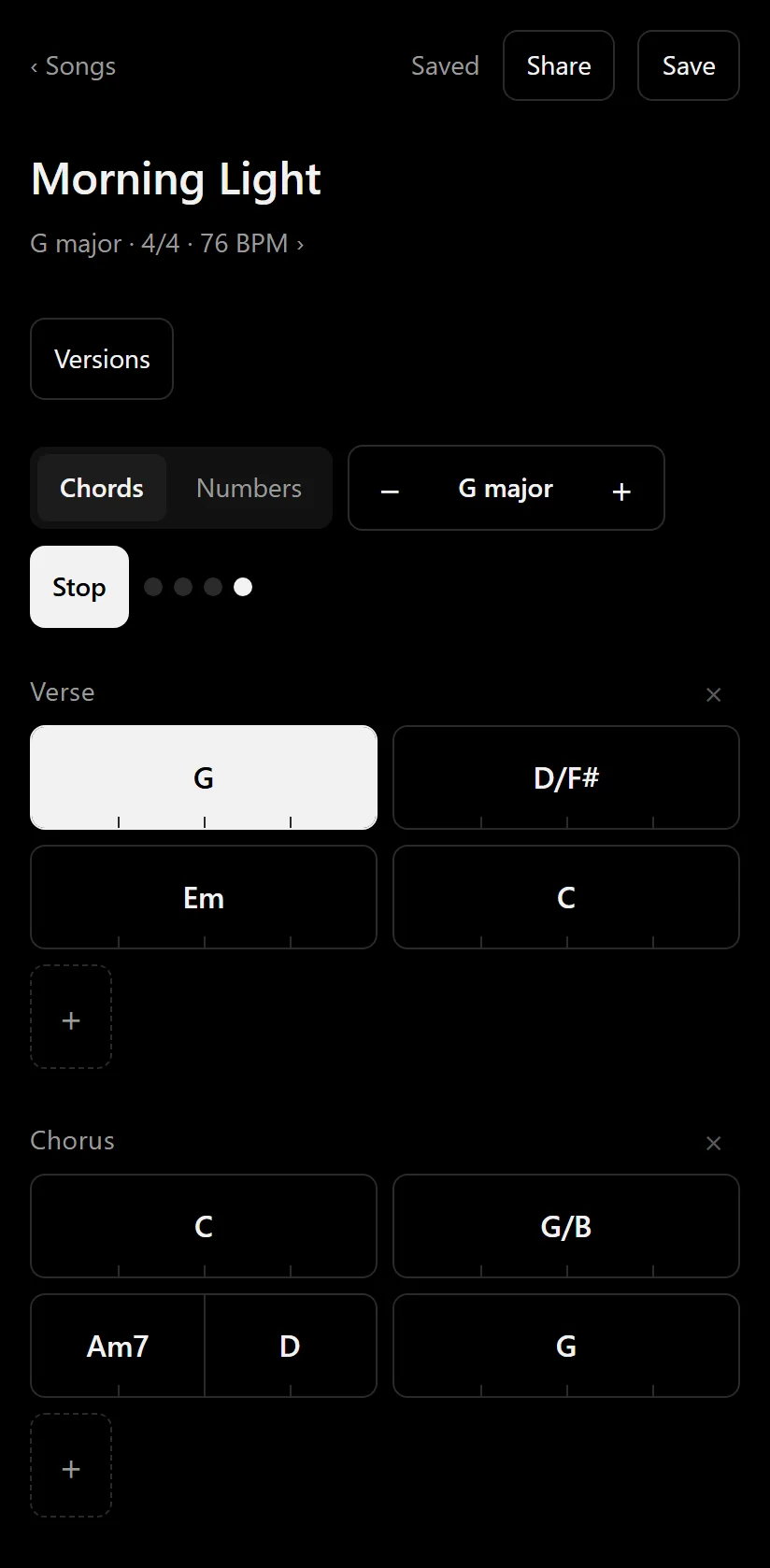
Use it on its own, or play it through a song: the bar being played lights up as you go.
A notepad for chord charts. You write a song bar by bar, in its key and time signature, and share it with the musicians you play with. It’s for writing and organising chords; it is not a lyrics editor, a recording studio or a full music-notation program.
Anyone aged 13 or over: solo musicians, guitarists and keyboard players, worship teams, bands, teachers and students, songwriters and arrangers. You need an account, made with an email address and a username.
Yes. A Chords / Numbers switch shows any song either way, in any major or minor key. You can also type numbers; Kordverse keeps them as the matching chords in the song’s key.
Yes, a semitone at a time with the − and + buttons. Every chord moves with the key. On a song shared with you, transposing changes only your own view, never the original.
Yes. Share a song by username as View only or Can edit. Only the owner changes the original: when a collaborator who can edit starts editing, Kordverse makes them their own named version. If two people change the same line at once, Kordverse shows both and lets you choose; nothing is merged silently. Changes from others appear when the song is reopened; live updates while a song is open are being built.
The owner opens Share and shows the song’s QR code. A musician scans it with Kordverse’s own scanner (Shared, then Scan QR code) while signed in, which sends the owner a request. The owner lets them in as View only or Can edit, or turns them down. Scanning a code never gives access by itself, and the owner can turn a code off at any time.
Yes. Every person with access is a signed-in Kordverse user you chose. You can change what each person can do, or remove them, at any time, for the original and for each version separately. There are no public links.
Yes: tempo, time signature, subdivisions, accents, count-in and volume. It can also play through a song and mark each bar as it goes. A shared rehearsal metronome, starting together on everyone’s phone, is in development.
Android phones today, with the app downloaded from this website, and any modern web browser at app.kordverse.com. An iPhone app is coming soon.
Bring your chords, your musicians and your musical ideas together with Kordverse.
Download the app straight from Kordverse. Android will ask you to allow the install the first time. The app then keeps itself up to date.
Get Started on AndroidUse Kordverse on a computer, tablet or any phone, with the same account and the same songs.
Open in your browserThe iPhone app isn’t ready yet. Until then, Kordverse works in Safari on your iPhone.
Open in Safari